Throttling
Description
Throttling is a feature designed to reject incoming requests in a process model if the work in the process model exceeds the specified configurations.
There are two types of Throttling offered:
- Throttling Timer Setting
- Throttling External Events
To configure throttling, select the process model, then on the configuration editor on the right side, select 'Throttling Timer Setting* or Throttling External Evens.
In the Dialog, click on the 'Throttling' tab.
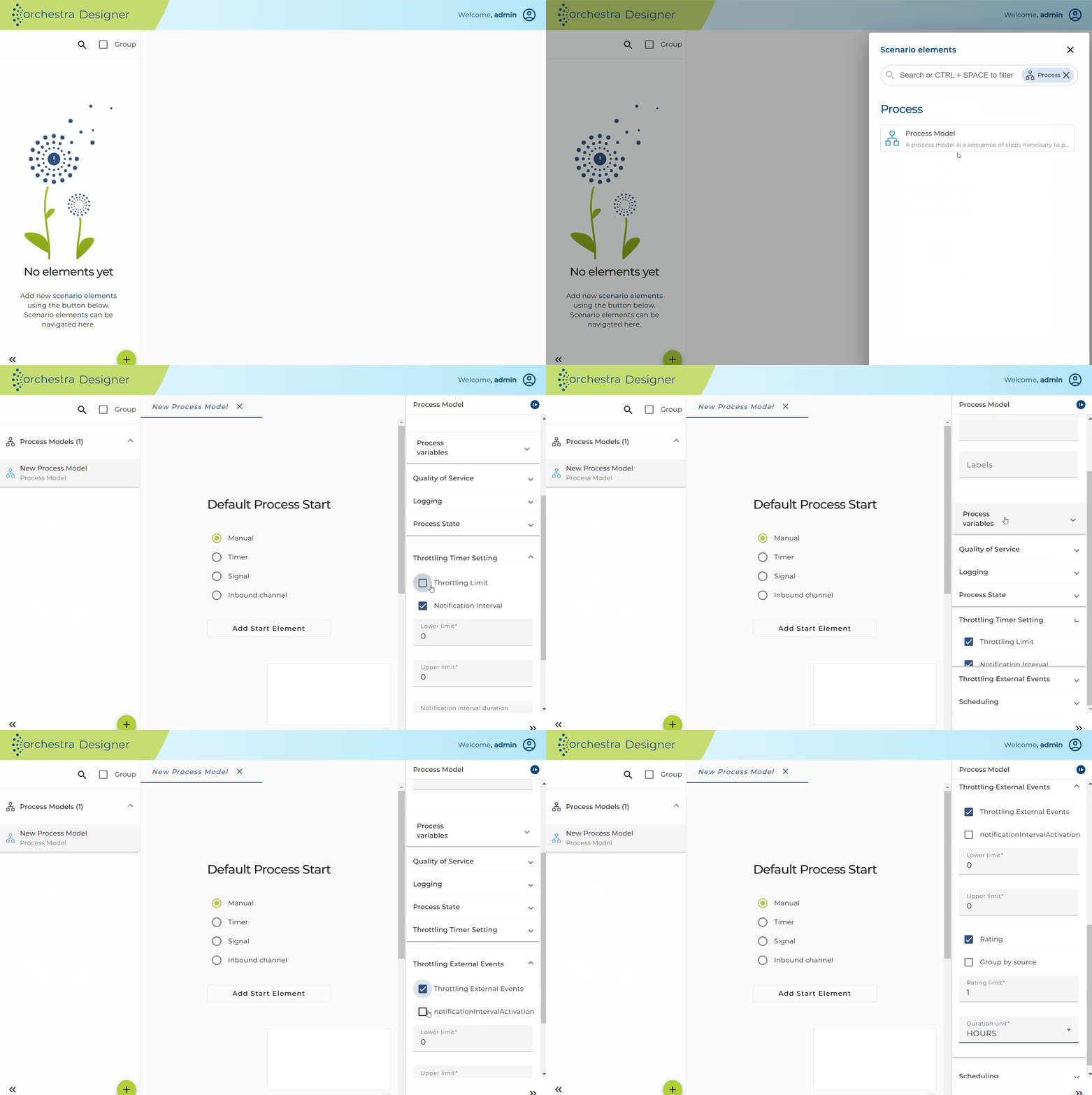
Throttling Timer Settings
Throttling Timer Settings is Used to limit the number of processes that start with timer.
Throttling Timer settings contain 2 parameters:
-
Throttling limit: Contains 2 parameters.
- Upper limit: When the number of active processes reaches this limit, we are in overflow-state.
- Lower limit: When the number of active processes is below this limit, we are in normal mode.
-
Notification interval: Events from the same category and source will not be sent to receivers repeatedly. Instead, a new event will only be generated once the specified time span has passed. To receive a notification and the corresponding log file, set the notification interval to "Active." If you do not want to receive notifications, set it to "Inactive."
Throttling External Events
Throttling External Events is used to limit the number of processes that start with external events.
Throttling External events contains 3 parameters:
-
Throttling limit: Contains 2 parameters.
- Upper limit: When the number of active processes reaches this limit, we are in overflow-state.
- Lower limit: When the number of active processes is below this limit, we are in normal mode.
-
Notification interval: Events from the same category and source will not be sent to receivers repeatedly. Instead, a new event will only be generated once the specified time span has passed. To receive a notification and the corresponding log file, set the notification interval to "Active." If you do not want to receive notifications, set it to "Inactive."
-
Rating: Contains 3 parameters:
-
Group
-
Group by source: The number of start events are counted as a group such as a caller IP Address.
-
No group: The number of start events are counted by each request.
-
-
Number of Rating: Number of the process can be call in the specific duration
-
Time unit: The rating duration can be selected by the following value: "Seconds", "Minutes", "Hours" and "Days".
| External Event | Group by |
|---|---|
| AS2 Server | AS2 connection |
| Database Listener | Database connection |
| Email Listener | Email server connection |
| FTP Listener | FTP connection |
| File Listener | Filepath |
| Filename Listener | Filepath |
| HTTP File Streaming Server | Caller IP |
| HTTP Get Receiver | Caller IP |
| HTTP Post Receiver (General) | Caller IP |
| HTTP Post Receiver (Parameter) | Caller IP |
| LDP Listener | LDP channel |
| Message Queue Receiver | Message Queue Receiver channel |
| OFTP2 File Receiver | OFTP2 connection |
| OS process listener | Caller IP |
| Orchestra Parameter Receiver | Request IP |
| SAP RFC Receiver | SAP Server connection |
| TCP server | TCP connection |
| WebDAV Listener | Caller IP |
| Service provider | Caller IP |
| REST Service provider | Caller IP |
⚠️ In rare cases, especially when the timer rate is very high, it is possible that more processes than the defined limit will be created. This can happen, since it may take some time between the timer event and the creation of a process instance. If only one process should be executed, please select bound process schedule with a limit of 1.